What you're checking
You can create a reusable course on the course list — basics, price, and defaults for future sections — and mark it ready so staff can schedule sections later. Linking the course to a certificate program is a separate step on the certificate page.
Before you start
| Role | Password | |
|---|---|---|
| Program Manager | pm_catalog@example.com | password12! |
Use Open training site, then sign in as Program Manager.
Use a course code you have not used before (for example PRACTICE-ETHICS-2027) so you do not clash with PLG-LRW-201.
Step 1 — Open the course list
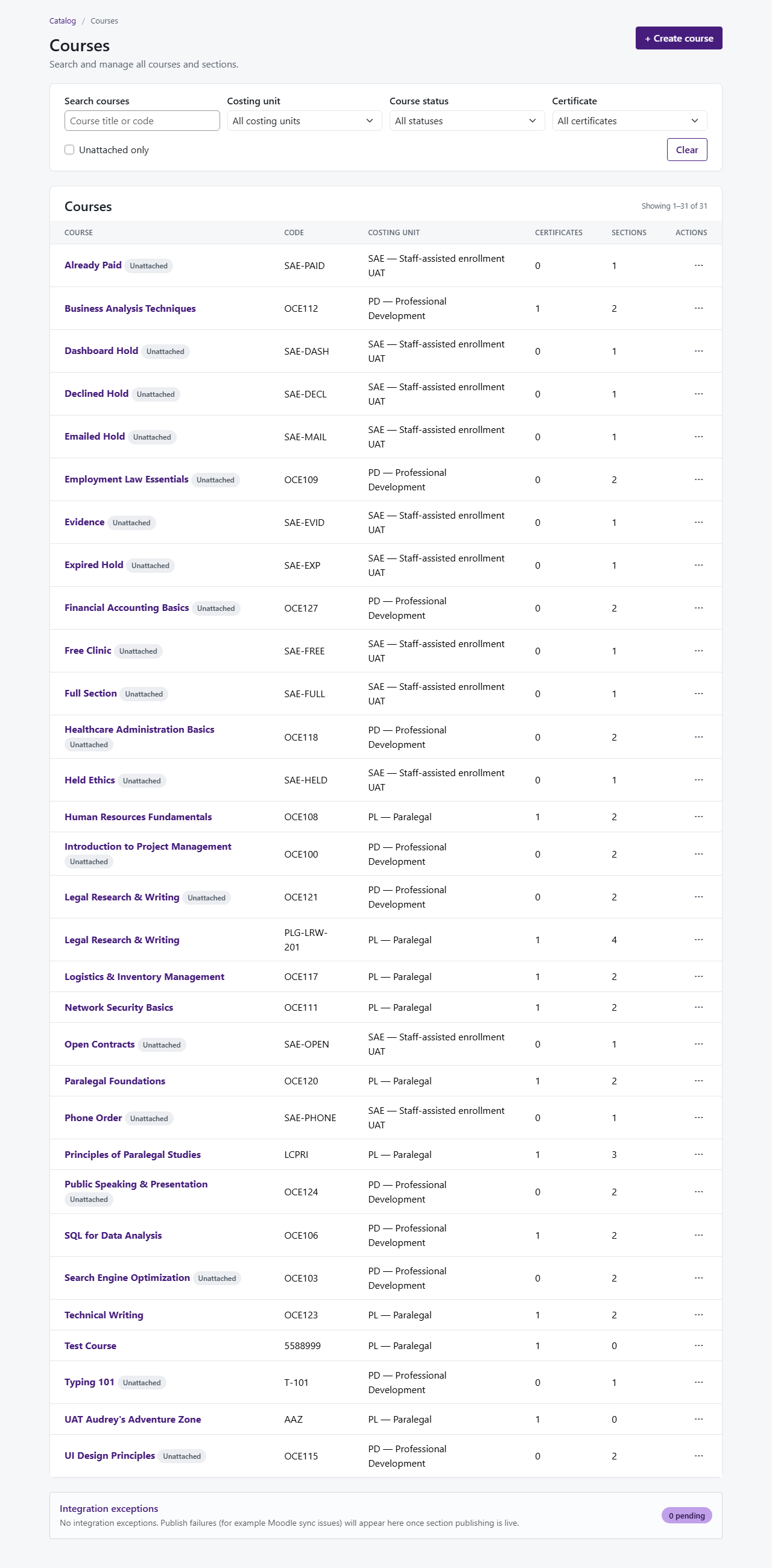
- Catalog → Courses (not Certificates)
- Confirm you see a list of courses
- Click + Create course
You're done when
Step 2 — Save the basics
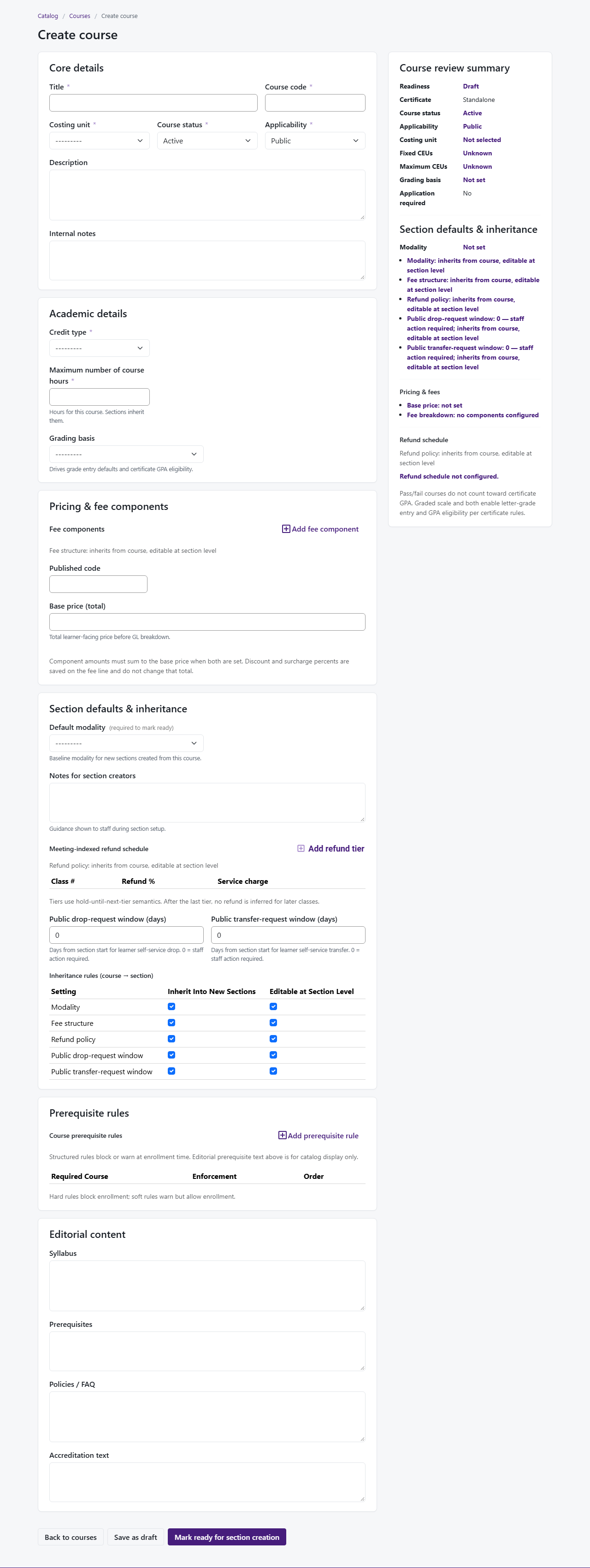
- Choose Paralegal Studies (PL)
- Fill Title, Course code, Description, and default Modality
- Under Academic metadata, set credit type, contact hours, and grading basis
- Watch Effective CEU update when you change hours or CEU override
- Click Save as draft
- You should land on Edit course for your new course
You're done when
Step 3 — Set price and fees
- Scroll to Pricing & fee components
- Enter Base price (for example $549)
- Add fee lines that add up to the base price (for example one tuition line)
- Click Save as draft
- Fix any message that says totals do not match
You're done when
Step 4 — Set defaults for future sections
- Scroll to Section defaults & inheritance
- Review default modality, refund defaults, and what new sections copy from the course
- Add Section creator notes if your team uses them
- Click Save as draft
- Check Course review summary describes inheritance in plain language
You're done when
Step 5 — Mark ready for scheduling sections
- Clear any remaining required items flagged in Course review summary
- Click Mark ready for section creation when offered
- From the course list, ⋯ → View sections on your course
- Confirm Create section is available
You're done when
Extra time — Internal preview
- ⋯ → Preview (internal) on your course row
- Check title, fees, and prerequisites wording
You're done when